George Levin
·
You will need a connected WhatsApp or Telegram account.
In your messaging app, record and send a voice message with the details of the records you want to create. For example: "Create a new contact, Sam Rosen, and link it to the IBM company. Create a deal with the same name."

Wait for the system to process your request. The bot will reply with a confirmation message summarizing the actions it has taken, including links to the newly created contact and deal.
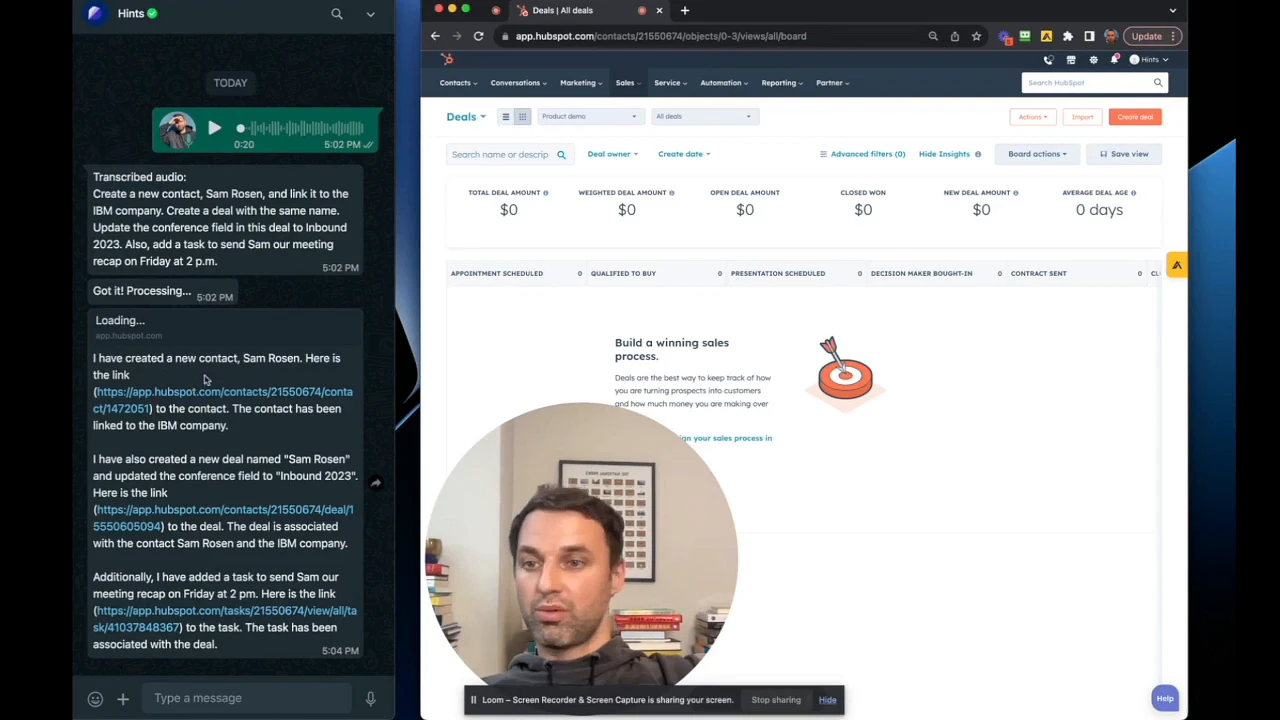
Navigate to your CRM's deal board. You will see the new deal has been added to your pipeline.

Click on the deal to open its detail view. You can verify that the new contact and the specified company have been automatically associated with the deal.

Summary
This article explains how to efficiently create multiple, interconnected CRM records from your messaging app. By using a single voice command, you can create a contact, create a deal, and associate them with a company, saving significant time and ensuring your data is linked correctly from the start.