George Levin
·
You will need a connected Pipedrive account.
Use a voice or text command in your messaging app to create a new deal with the same name as an existing one, but for a different contact. For example, if a deal named "IBM" already exists, you might say: "Create a new deal IBM and add a new contact Andrew Rosen."

Review the prompt from the Hints AI assistant. The assistant will find the existing deal and ask if you want to associate the new contact with it or create a separate, new deal with the same title.
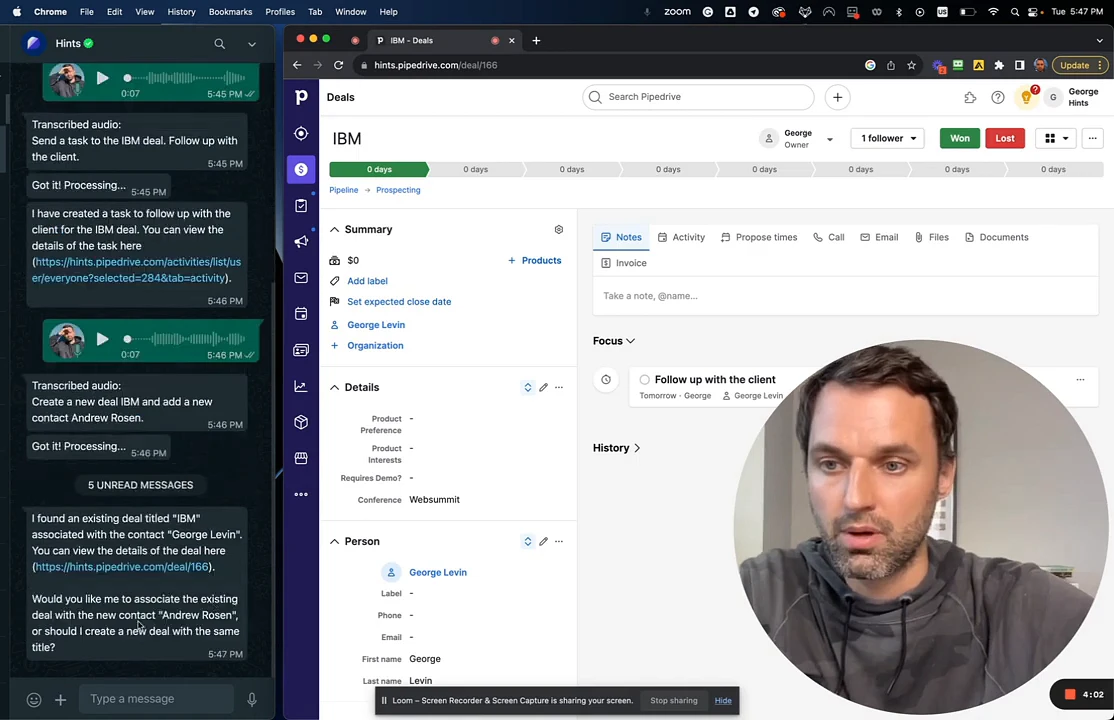
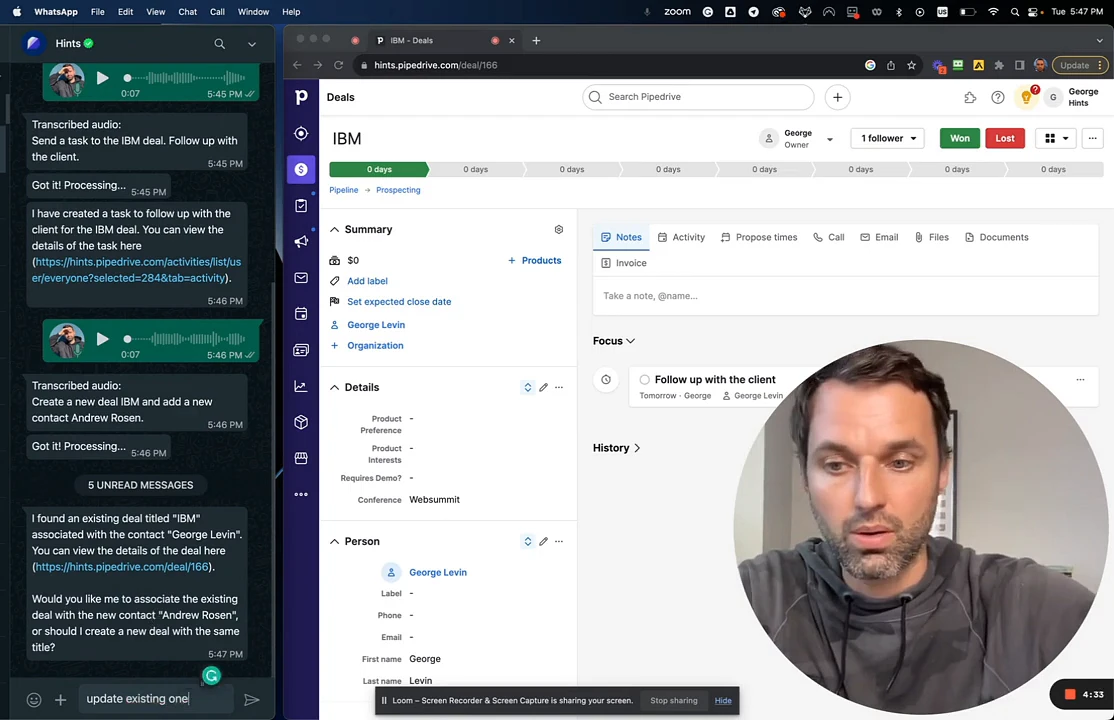
Reply to the assistant with your choice. To add the new contact to the existing deal, respond with a command like
update existing one.
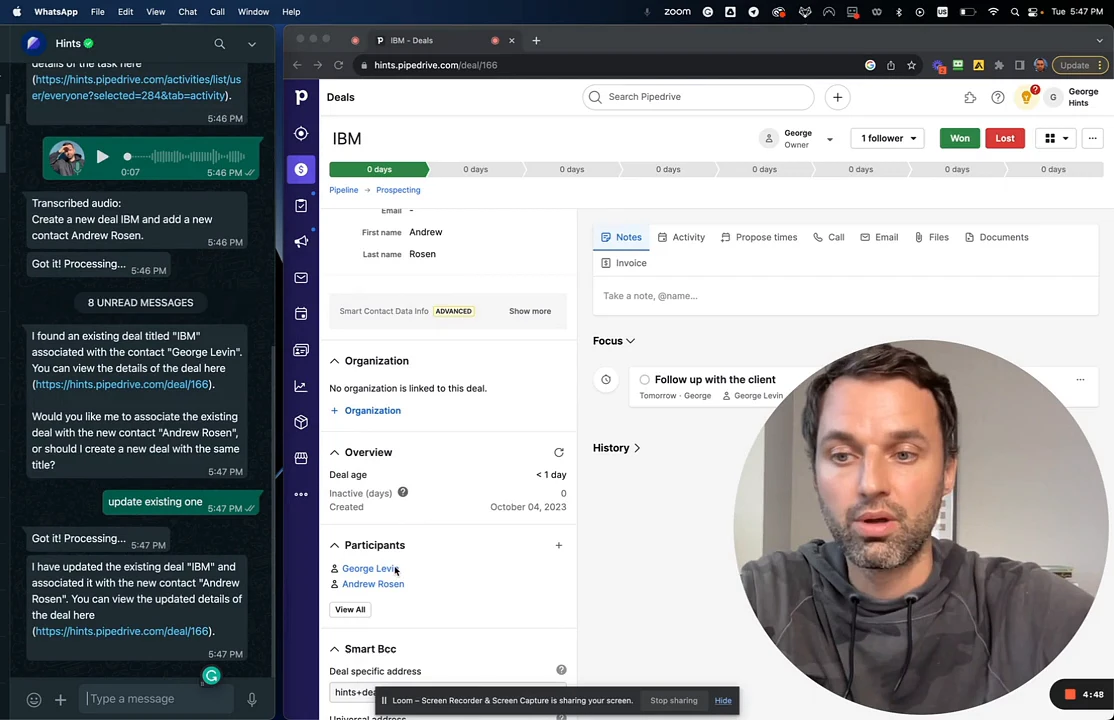
The assistant will confirm that it has updated the existing deal by associating the new contact with it. You can see in Pipedrive that the new contact has now been added as a participant in the original deal.
Summary
The Hints AI Assistant intelligently prevents the creation of duplicate deals by detecting when a new deal has the same name as an existing one. By prompting you for clarification, it allows you to easily associate new contacts with ongoing deals, keeping your CRM data accurate and streamlined without manual intervention.