George Levin
·

You will need to have recently performed the actions you wish to replicate.
After completing a series of actions for an initial contact (e.g., creating a contact, creating a deal, and adding a task), type the command
do the same for [New Contact Name]in the message field. Replace[New Contact Name]with the full name of the new person.
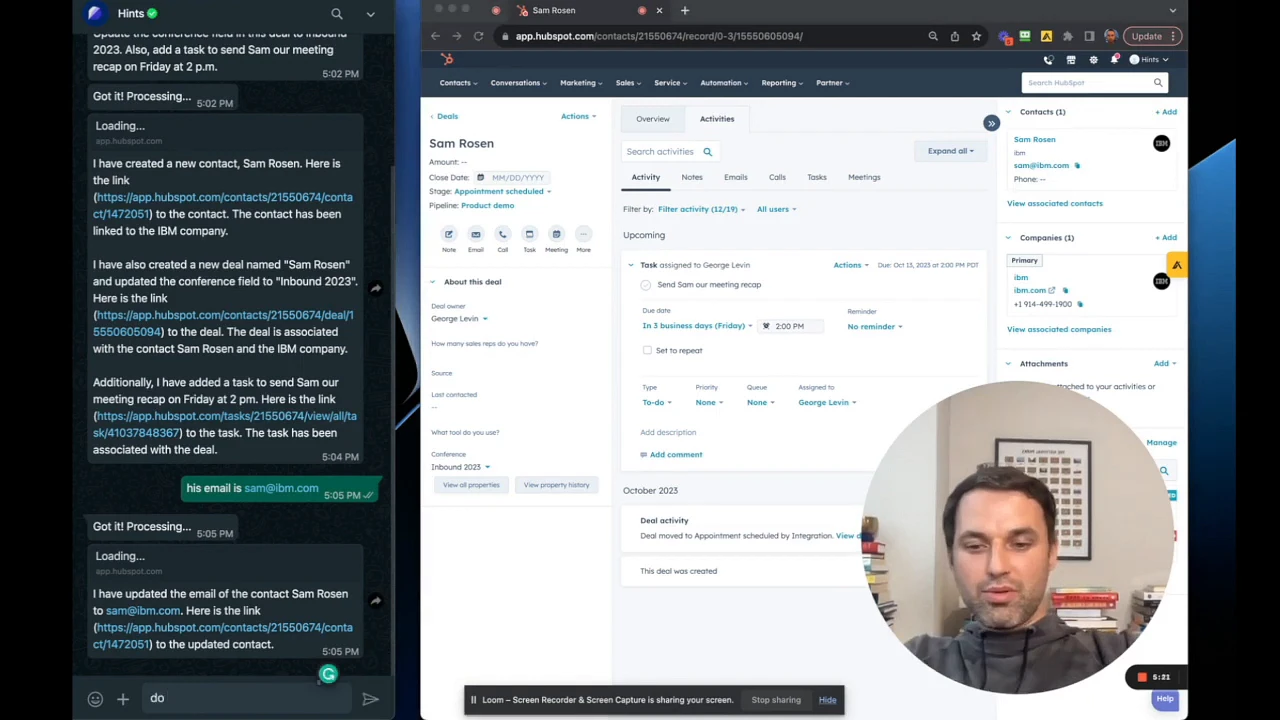
Send the message. The system uses its memory of your previous commands to perform the exact same set of actions for the new contact you specified.
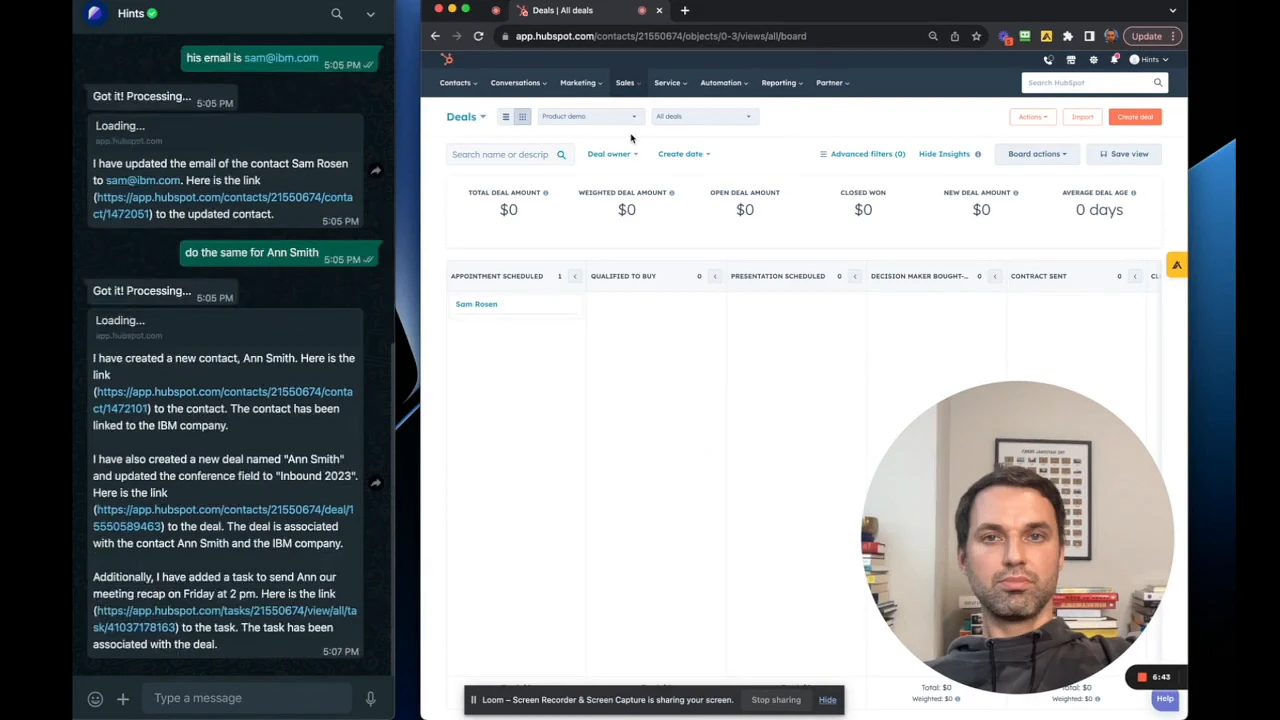
Navigate to your CRM to verify that the new records and activities have been created correctly. The new contact and deal will appear with the same associated tasks and field updates as the original.
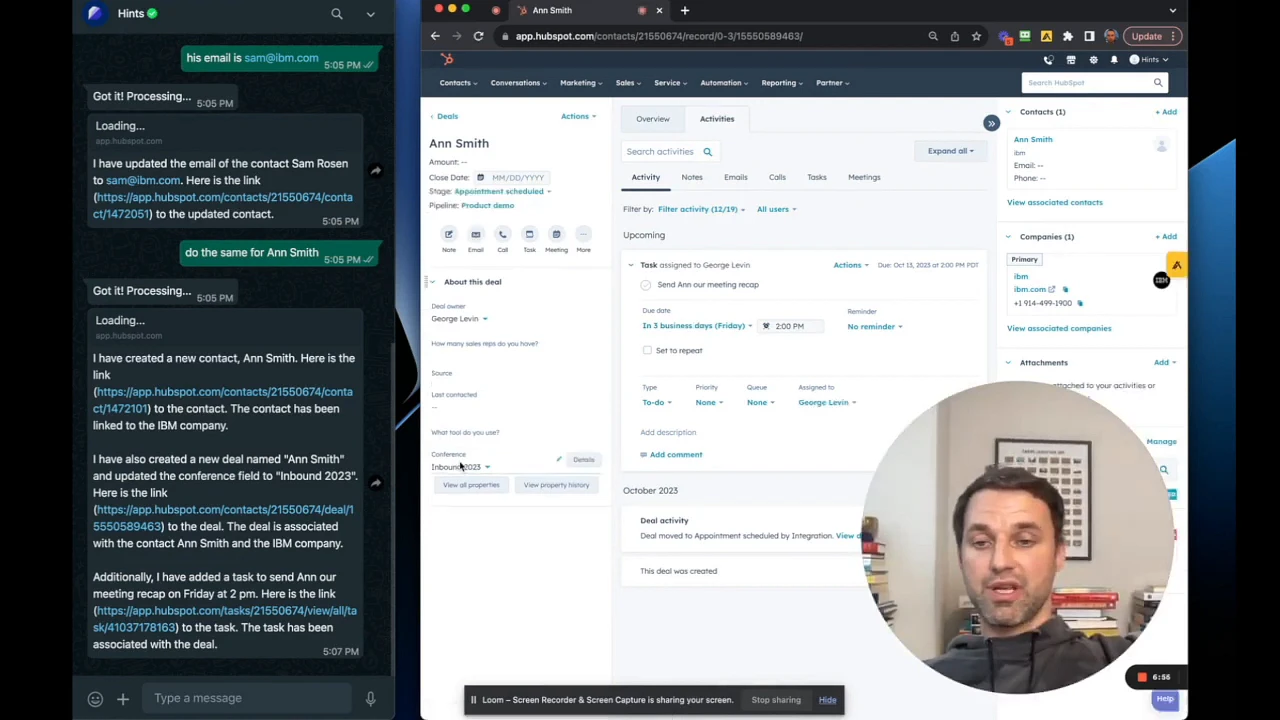
Summary
This article explains how to leverage the command history to efficiently replicate complex actions. By using the 'do the same for' command, you can instantly apply a recent sequence of operations to new contacts, significantly reducing repetitive data entry and ensuring consistency across your CRM records.